Teachable Review 2026: Build and Sell Online Courses Without the Tech Headache
Teachable has been in the online course game since 2014, and in 2026 it remains one of the most popular platforms for creators launching their first — or fifth — course. It's not the flashiest option, and it's not the most powerful. But for getting a course live, taking payments, and building an audience without a steep learning curve or a steep price tag, it remains a strong default. Here's the full picture.
What Is Teachable?
Teachable is an online course platform that lets creators host and sell video courses, coaching packages, and digital downloads. It handles video hosting, student management, checkout and payments (including payment plans and subscriptions), basic email notifications, and a simple website layer — all from a clean, relatively easy-to-use interface.
Unlike Kajabi, Teachable is not all-in-one by design. It does courses, coaching, and digital products well, and it expects you to use other tools (ConvertKit, Mailchimp, your own website) for email marketing and community. This focused approach keeps the product simpler and more affordable — a deliberate choice that appeals to creators who already have preferred tools and don't want to migrate.
Key Features
Course Builder
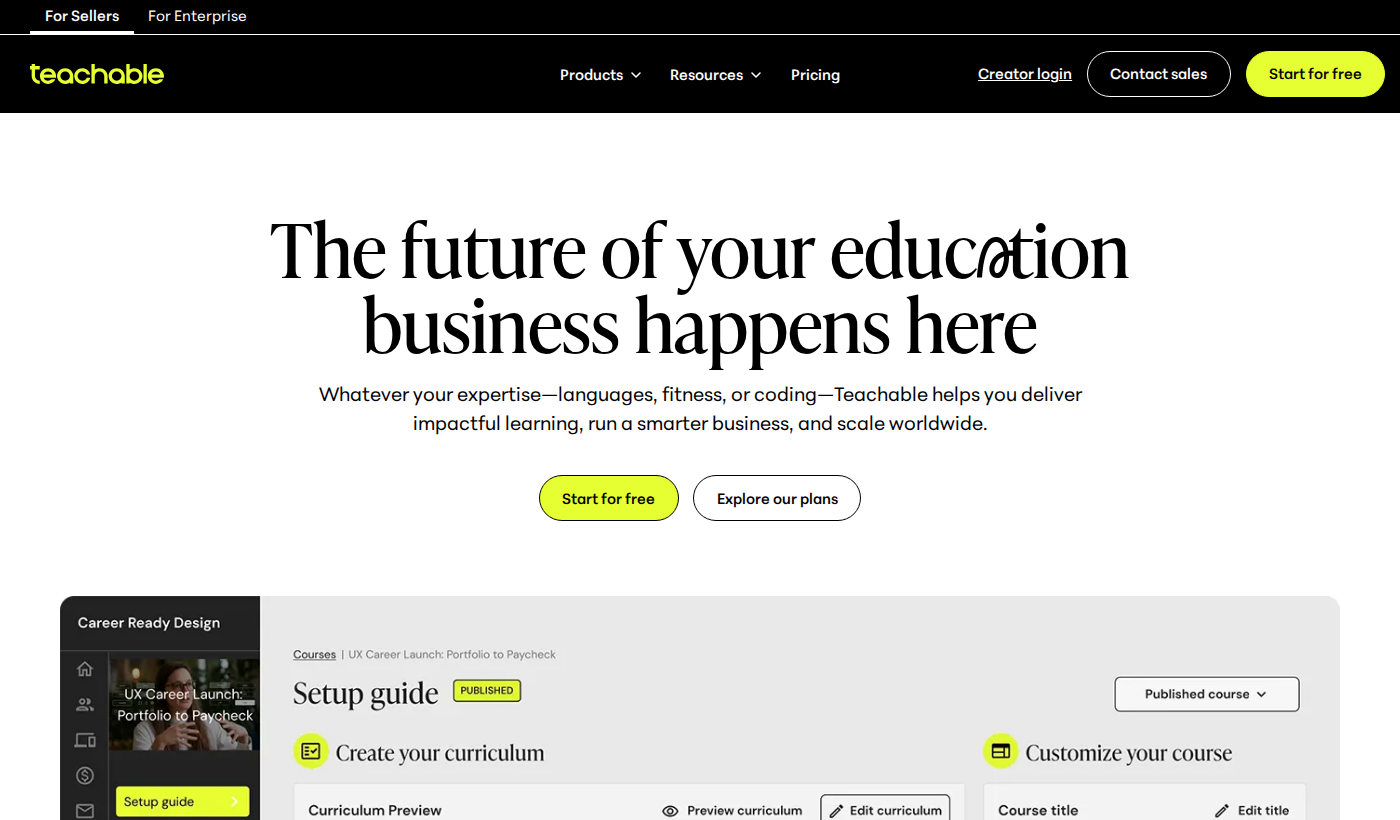
Teachable's course builder is clean and intuitive. You create a Course, structure it with Sections (modules) and Lectures (lessons). Lectures support video (hosted by Teachable), audio, PDF, text, and quizzes. The interface is straightforward enough that most creators can have a basic course structured and uploaded within a day of signing up.
Video uploads are handled reliably — Teachable transcodes and serves via their CDN. Quality is good; we haven't seen delivery issues under load. Captions can be auto-generated or uploaded manually.
Coaching Products
Teachable's coaching product lets you create structured coaching packages: a set number of sessions at a fixed price, with calendar integration for scheduling (via Calendly integration or the built-in scheduler). Notes, session history, and client communication are built in. It's a solid addition for coaches who want their courses and coaching under one login.
Digital Downloads
Beyond courses, Teachable supports standalone digital product sales: e-books, templates, toolkits, and resource bundles. The same checkout and payment processing infrastructure handles these cleanly. It's a natural upsell path — offer a free template as a lead magnet, then promote the course behind it.
Checkout and Payments
Teachable's checkout is genuinely good. It supports one-time payments, subscriptions, payment plans, and coupon codes out of the box. Checkout pages convert well — they're clean, mobile-optimized, and support order bumps (on paid plans) for additional revenue per transaction.
Teachable Payments is the native payment processor (available in the US, UK, CA, AU, and others), which eliminates the need for a separate Stripe account. International creators can still connect Stripe directly. Payouts are on a reliable schedule, and the fee structure is transparent.
Student Experience
The student dashboard is clean and functional. Course progress tracking, completion certificates, discussion boards (per-lecture comments), and a native iOS/Android app give students a polished experience. The mobile app is a meaningful differentiator for Teachable vs. some cheaper alternatives — students can actually consume content offline or on the go.
Integrations
Teachable integrates natively with ConvertKit, Mailchimp, AWeber, Drip, and ActiveCampaign for email. It connects to Zapier for custom workflows, Google Analytics and Facebook Pixel for tracking, and supports a basic Affiliate program on paid plans. It's not as tightly integrated as Kajabi's native stack, but for creators with existing tool preferences, the integration surface covers most needs.
Pricing
- Free: 1 course, unlimited students, Teachable takes a 10% transaction fee
- Basic ($59/mo or $39/mo annual): 5% transaction fee, unlimited courses, custom domain, basic quizzes, 2 admin users
- Pro ($159/mo or $119/mo annual): 0% transaction fee, graded quizzes, certificates, affiliate program, 5 admin users, advanced reporting
- Pro+ ($249/mo or $199/mo annual): 20 admin users, custom user roles, priority support
- Business ($665/mo or $499/mo annual): 100 admin users, bulk student enrollment, custom development
The transaction fee model is worth understanding: on the free plan, Teachable takes 10% of every sale. On Basic it's 5%. On Pro and above, there's no transaction fee beyond Stripe/payment processing. For a course priced at $197 selling 10 copies/month ($1,970 revenue), the Pro plan's 0% fee vs. Basic's 5% fee saves $98.50/month — at which point the Pro plan pays for itself.
Pros
- Clean, intuitive interface — fast to get a course live
- Generous free plan for new creators
- Good mobile app for student content consumption
- Strong checkout with payment plans, coupons, order bumps
- Flexible payment processing — Teachable Payments or Stripe
- Integrates well with leading email marketing tools
Cons
- 10%/5% transaction fees on lower tiers — expensive if volume is high
- Email marketing is basic — you'll need a separate ESP for sequences and broadcasts
- Community is limited compared to Circle.so or Kajabi Communities
- Website builder is minimal — most creators still need a separate site
- Design customization is limited vs. Kajabi or Podia
Who Should Use Teachable
Teachable is the right choice for creators who are: launching their first course and want simplicity over features; already happy with ConvertKit or Mailchimp and don't want to migrate; running a low-to-mid volume course business where Kajabi's monthly cost isn't justified; or building a focused course business without needing community, podcasting, or advanced funnels.
It's not right for: creators who need all-in-one marketing automation, teams managing many courses across multiple instructors, or businesses scaling toward $20K+/month where Kajabi's consolidation value kicks in.
Teachable vs. Kajabi
Kajabi is the more powerful all-in-one platform. Teachable is the simpler, more affordable focused course tool. The decision comes down to where you are in your creator journey: Teachable for getting started and keeping costs down; Kajabi when you've outgrown stitching tools and need the integrated stack.
Teachable vs. Thinkific
Both are strong course platforms at similar price points. Thinkific's free plan has no transaction fees (a notable advantage). Teachable edges ahead on checkout UX and the mobile app. Either is a solid choice; try both free tiers and let the interface feel decide it.
Verdict
Teachable is a reliable, well-priced, and genuinely creator-friendly course platform. It's not trying to be everything — it's trying to be a great place to host and sell your course without the complexity of a full marketing suite. For that goal, it delivers consistently.
Start on the free plan, validate your course sells, then upgrade to Pro once your revenue justifies eliminating transaction fees. The upgrade path is clean and the migration cost is zero.
Rating: 8.2/10 — The reliable, approachable choice for course creators at any stage. Not the flashiest, but earns its trust every year.